 Convert PDF to Image
 4.9 (8,000+
 Select PDF File
Or drop it here.
Loading... 0%
Manifest der Kommunistischen Partei.pdf
1.19 MB
Your file is ready
Manifest der Kommunistischen Partei.jpg
 Your file will be deleted permanently.
 Delete File

 Start Over
Sharing is caring
Find PDFgear helpful? Share and help others discover it. Your support means the world to us!


- No file data is uploaded or transferred over the internet
- Files stay locally within your browser
- All processing occurs entirely within your browser
Learn more about why PDFgear is free. Still have questions? Feel free to contact us.

Free & Unlimited
Ditch the limits with PDFgear's PDF to Image Converter. Unlike other online tools, we offer unlimited, completely free access. You can convert any PDF, anytime – no sign-up hassles, just pure convenience.

Convert PDF to JPEG
With PDFgear, you can convert your PDF document into JPEG images, generating a separate JPEG file for each page in the PDF. This allows for easy viewing and sharing of each page as an image.

Speedy & Efficient
In a rush? PDFgear races to your rescue. Drag and drop your PDF file into our online PDF converter, and in several seconds, you can download the images. It's fast, efficient, and effortless.

Anytime, Anywhere
PDFgear's web-based PDF to Image tool gets you covered on Windows, Mac, Linux, Android, iOS, and more. Plus, for times when the internet is out of reach, our offline tool is ready to step in.

100% Secure
PDFgear prioritizes your data privacy. PDF files are processed locally in your browser without uploading. This ensures that all your information remains local, private and secure, maintaining confidentiality and compliance with our privacy standards for secure document handling.

Alternative Solution: Freeware to Convert PDF to Image Offline
PDFgear offers both free online and offline PDF to image converters.
| Features | PDFgear Software | PDF to Image Online |
|---|---|---|
| Accessibility | Installation required | Web browser-based |
| File Size Limit | No limit | No limit |
| Performance | Fastest | Faster ¹ |
| Internet Requirement | Works without Internet | Internet required |
| Functionality | All-in-one PDF solution to to edit, convert, sign, split, merge, compress, etc. | No further operations supported after conversion |
| User Experience | Advanced and full-featured | Simple and easy to use |
| Data Processing | Files processed on local device | File processed within your local browser |
| Ideal For | Power users needing advanced features and offline access | Users looking for fast, easy PDF conversion online |
1. Faster: Requires uploading files to the server for processing; speed may vary depending on the size and complexity of the PDF file.
How to Convert PDF to Image Online for Free
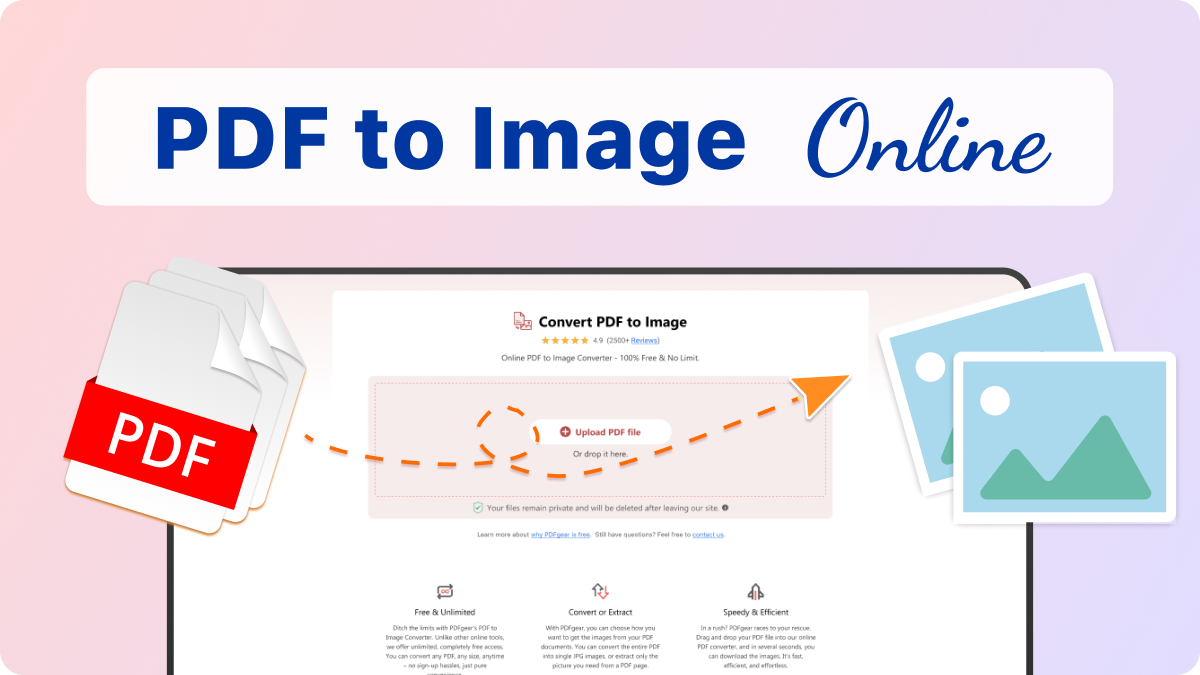
1. Select Your PDF File
Simply drag and drop your images onto our PDF to Image converter tool.
2. Convert PDF to Images
PDFgear will swiftly load, analyze, and convert your PDF pages into separate images within seconds.
3. Download Zipped Image File
Once completed, click the "Download File" button to save the zipped image file to your device.
Your Questions Are Answered
Is there a limit to the PDF file size or number of PDF pages?
There's no limit on file size, usage, or file quantity.
Can I convert PDFs to images on my iPhone or Android?
Yes, PDFgear is compatible with various devices, including smartphones. Whether you are using an Android or iOS device, you can easily convert PDFs to images using your mobile browser without any need for additional software. Besides, PDFgear has also launched a free app on Windows, Mac, iOS and Android for offline use.
Is it safe to convert PDF to Image using PDFgear?
PDFgear prioritizes the security and privacy of your files. When extracting pages, your PDF stays on your device. Processing occurs locally in your browser using front-end JavaScript, eliminating the security risks of online uploads. This ensures that all your information remains local, private and secure.
More PDF to Image Conversion Tips
 How to Convert JPG Image to PDF in Laptop for Free
Converting photos, pictures, and images to PDF on your laptop is simple—here’s how to do it with or without software.
 How to Convert JPG to PDF on Mac for Free
 How to Convert Screenshot to PDF for Free
All-IN-ONE PDF Converter & Editor, with AI-Powered
Try PDFgear software and app for free.