10 Fixes to ChatGPT “Sorry, You Have Been Blocked” Error

Summary :
This article will introduce 9 common reasons why chatgpt is blocked and their solutions. Help you quickly troubleshoot and experience the power of AI smoothly.
Table of Contents
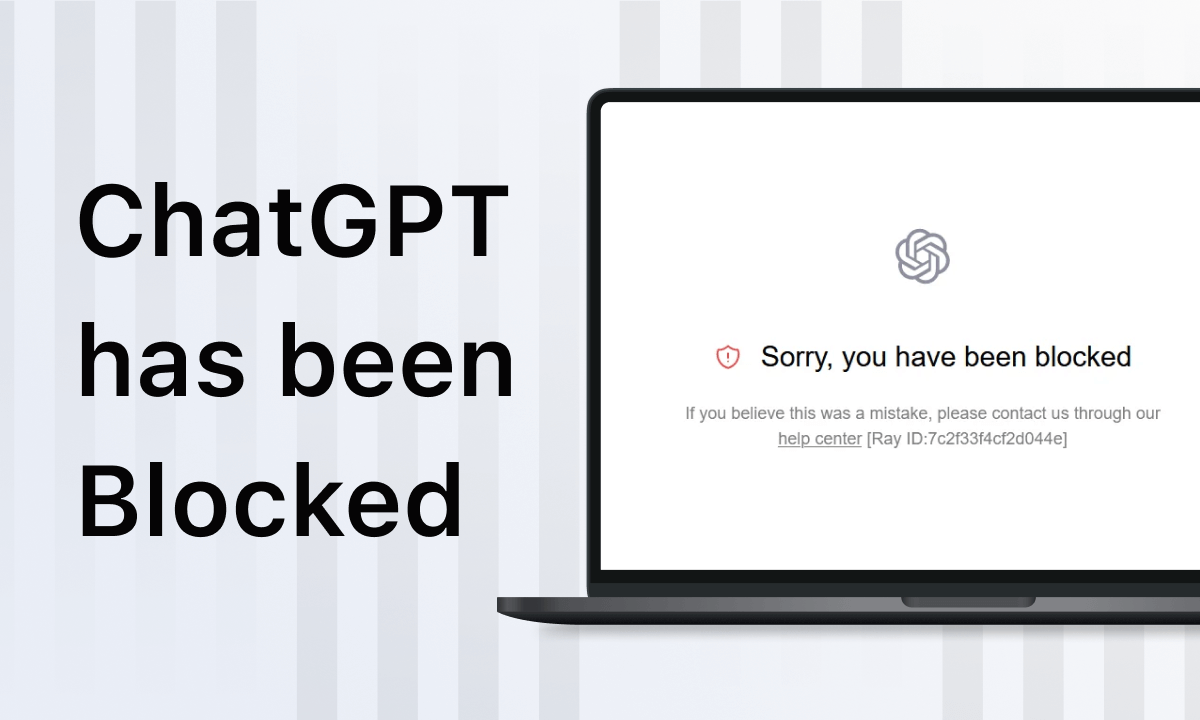
ChatGPT “Sorry, You Have Been Blocked”
Occasionally when trying to access ChatGPT, you will receive the message “Sorry, You Have Been Blocked” and cannot access the ChatGPT service normally.
With the upcoming release of GhatGPT5, learning to solve this problem in advance will greatly improve efficiency. This article will introduce the 9 most common reasons why ChtGPT is blocked and provide you with a detailed step-by-step solution guide.
Switch IP Address Access
ChatGPT blocks your use when it detects some unusual or suspicious activity from your device, IP address. Or in some restricted countries and regions, ChatGPT cannot be used. The best solution in this case is to switch your device’s IP address.
Disable VPN Connections
A common reason why ChatGPT is blocked is the use of a VPN. ChatGPT may view VPN usage as suspicious behavior or a possible security risk. Simply disabling the VPN connection will resolve the issue.
Open your device’s settings > Go to “Network & Internet” > Select “VPN” in the left-side menu > Select the VPN connection you want to disable >
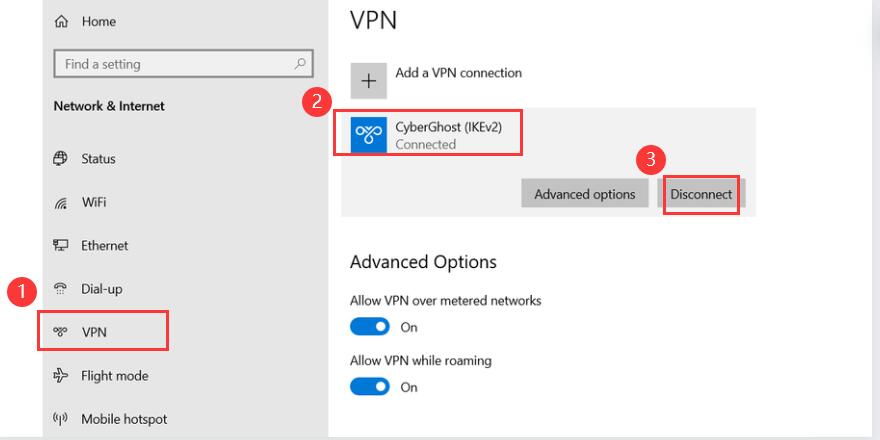
Disconnect VPN
Clear Browser Data
The error may be related to data stored in the browser. In this case, you need to clear your browser cache and cookies.
Open your browser settings > Go to the “Privacy & Security” section > Select “Clear browsing data” > Check “Browsing history”, “Cookies and other site data” and “Cached images and files” in the pop-up window that appears Item > Click “clear data”.
After clearing the browser data, refresh the page and log in to your ChatGPT account again.
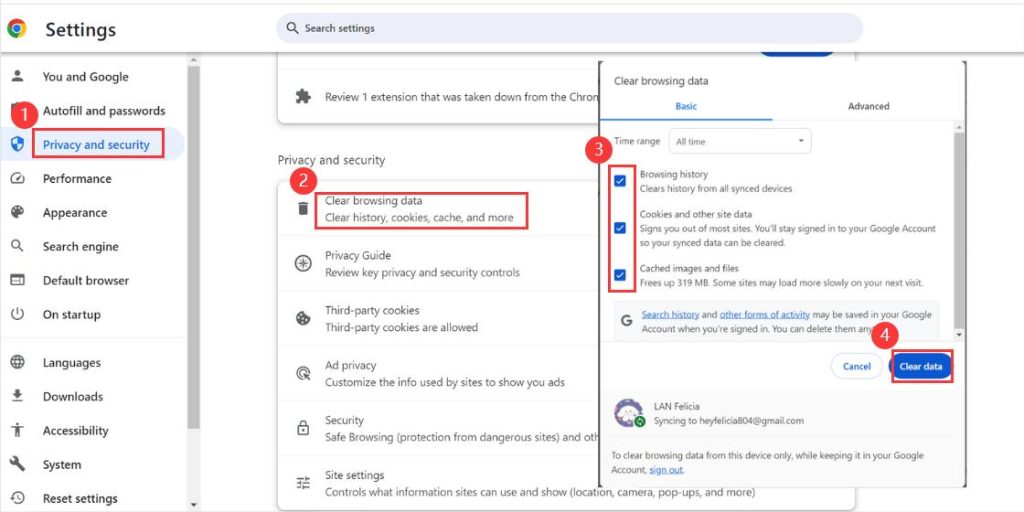
Clear Browser Data
Disable Browser Extensions
Browser extensions, especially those that change network connections or interact with ChatGPT, may interfere with ChatGPT’s functionality and trigger “Sorry, you’ve been blocked” errors. Disable these extensions to regain access to the ChatGPT service.
Find “Extensions” at the top of your browser > “Manage extensions” > Disable or remove browser extensions > Reload the OpenAI ChatGPT page.
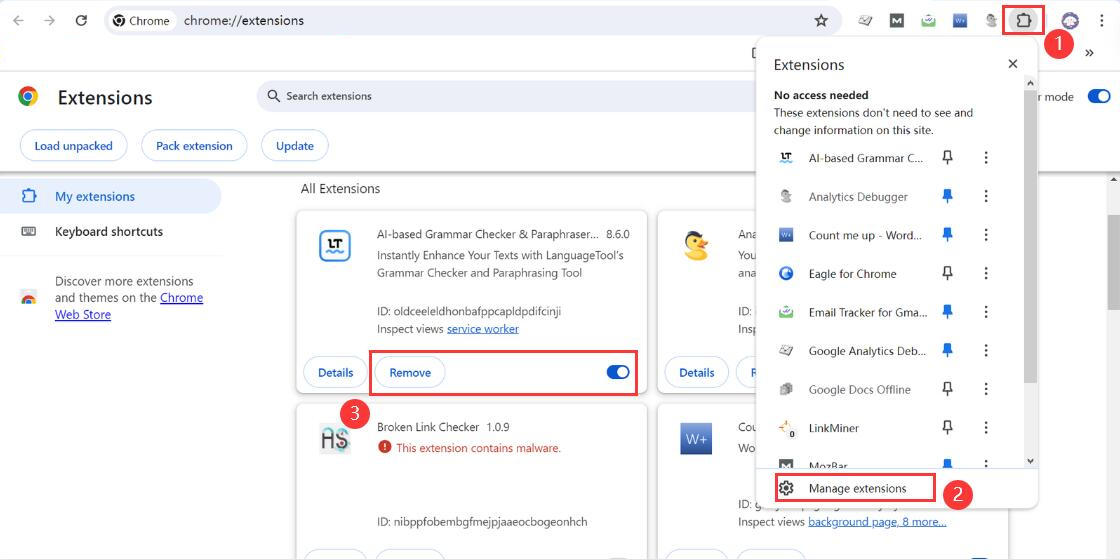
Disable Browser Extensions
Check Internet Connection
An unstable or short Internet connection may also cause ChatGPT to be unavailable, resulting in the error message “Sorry, You Have Been Blocked” received. Ensuring that your network connection is stable and has good speed can effectively resolve ChatGPT blocked issue.
Open your device’s “Settings” > Go to “Network & Internet” > Select “Wi-Fi” > Reconnect the network or switch available networks > Return to the ChatGPT page and reload.
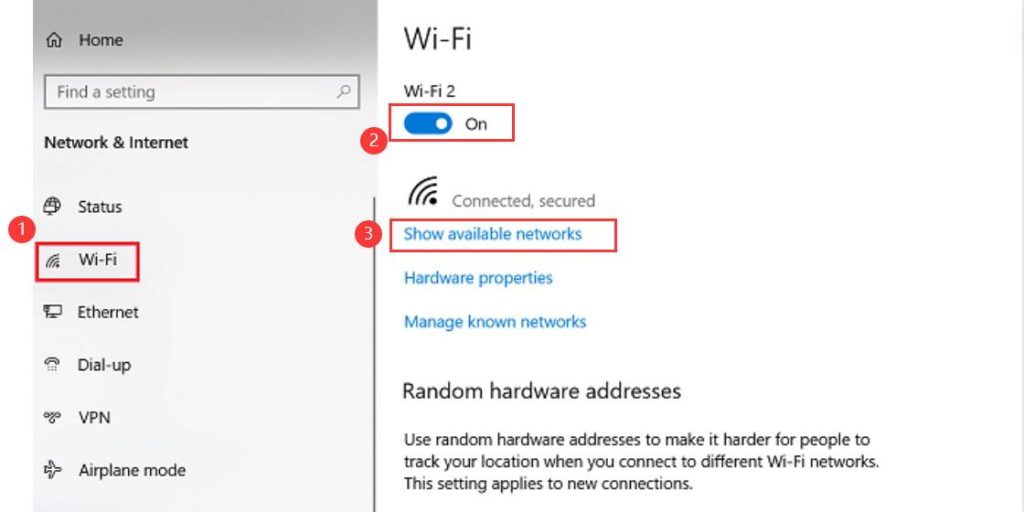
Check Internet Connection
Update Browser or Use Incognito Mode
Outdated browsers or compatibility issues may cause blocking issues with ChatGPT, simply updating your browser will fix this. Meanwhile, incognito mode can help you bypass some browser-related issues.
Check in the browser > Click “…” in the upper right corner > Click “New Incognito Window” > Re-visit the OpenAI official website and log in to ChatGPT to use its services.
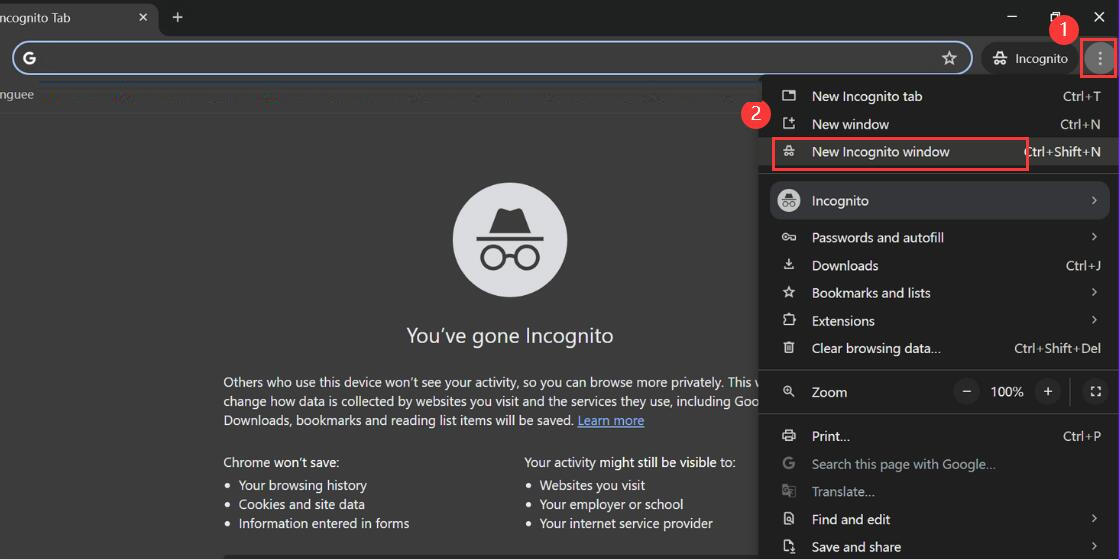
Use Incognito Mode
Switch to Another Browser
If the problem persists, try accessing ChatGPT through a different browser. Browser-specific issues can sometimes cause errors, and switching browsers can help determine if this is the case. Popular alternatives include Mozilla Firefox, Google Chrome, Safari and Microsoft Edge.
Create a New Account
If you fail to log in to your ChatGPT account multiple times, enter incorrect passwords multiple times, or have an abnormal login IP, OpenAI may restrict access and your account may be blocked. In this case, you can choose to create a new account. However, please note that when creating a new account, you need to use a new phone number and switch to a new IP to prevent ChatGPT from blocking your new account again.
Access ChatGPT online > Click “Sign up” > Input your email address or log in with a Google/Microsoft account > Create a password > Enter your account name > Verify your mobile phone number > Log in to ChatGPT again after the account is created successfully
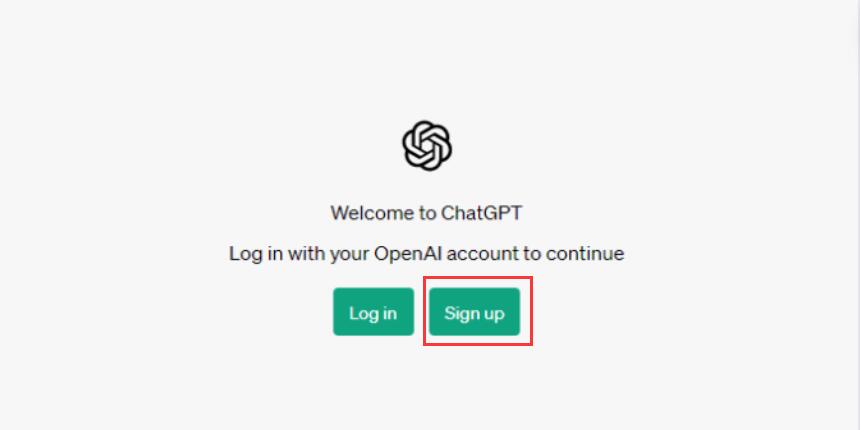
Create a New Account
Contact Support of OpenAI
If the above steps do not resolve the issue, consider contacting OpenAI’s support team for assistance. You can email the site owner or visit the OpenAI Help Center to find more specific guidance or report your issue.
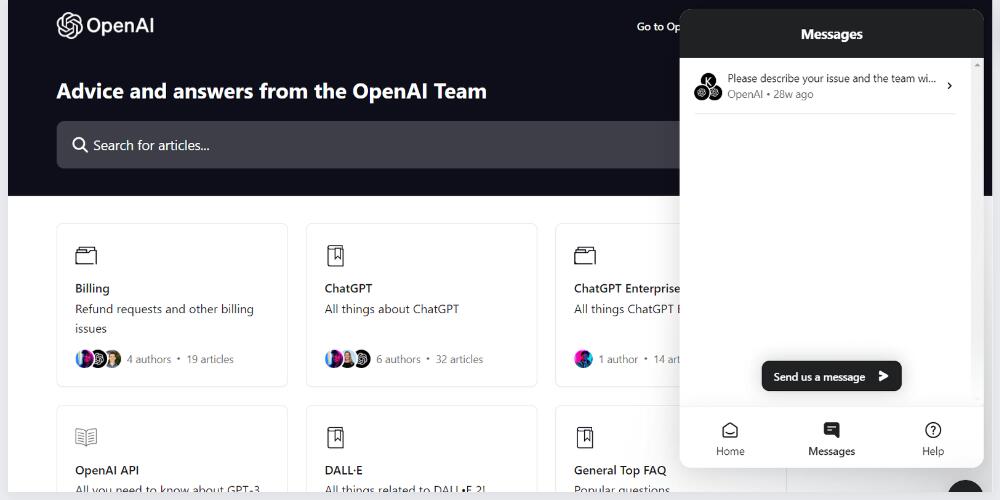
Contact Support of OpenAI
Check out the OpenAI Community Forum
The OpenAI Developer Forum and other community platforms may have users who have encountered similar problems, visit the forum and search for insights or solutions provided by others.
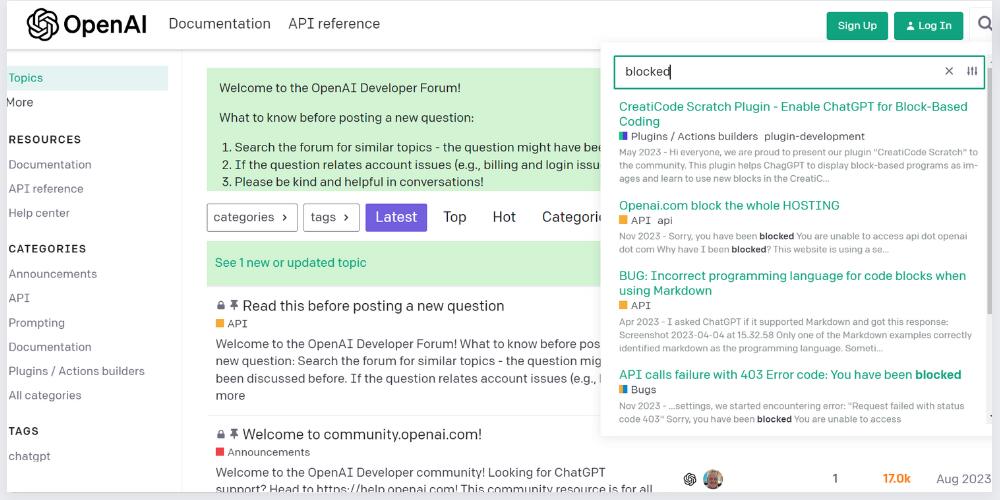
Check out the OpenAI Community Forum
Conclusion
The above are 10 solutions after ChatGPT is blocked. The above methods can solve almost all problems, allowing you to easily and quickly access ChatGPT services and use the power of AI chatbots to improve work efficiency.
But please note that in some fields, such as academics, please make proper use of artificial intelligence. Some tools, such as Turnitin can detect ChatGPT. You can use ChatGPT as an auxiliary tool, but please be careful to use it ethically.
