How to Translate a PDF in Adobe and its Free Alternative

Summary :
Does Adobe have an inbuilt PDF translation feature and how to use it? Learn from the step-by-step guide in this post to find out.
Table of Contents
How to Translate a PDF in Adobe
Since Adobe Acrobat Pro and Adobe Acrobat Reader don’t come with an inbuilt PDF translation feature, you’ll need an additional third-party tool for this.
On this page, we’ll explore several options to translate PDFs in Adobe into any language, and all of the introduced methods are free.
👉 To get started, directly download PDFgear, the best free Adobe alternative PDF reader with AI-powered PDF translation features.
Short Answer
❌Adobe Acrobat doesn’t have native support for PDF translation.
✅Using the AI-powered PDFgear Chatbot is the best free alternative way to read PDFs with translations. Read more.
PDFgear is the best free PDF reader with ChatGPT integration, allowing you to translate PDF text while reading.
How to Translate PDF in Adobe Acrobat
Simply put, the popular PDF reader programs Adobe Acrobat and Adobe Reader themselves do not have a built-in translation feature.
However, you can use a workaround to translate a PDF using Adobe Reader by copying the text from the PDF and using an online translation service like Google Translate.
On the other hand, you can also translate the entire PDF document using Google Docs, which is the recommended method here, as it saves a lot of trouble.
You only need to notice that you should save the original version instead of the printed copy.
Step 1. Click “Menu” in the top-left corner of the Adobe Reader window, and then click “Save as” to export the PDF.
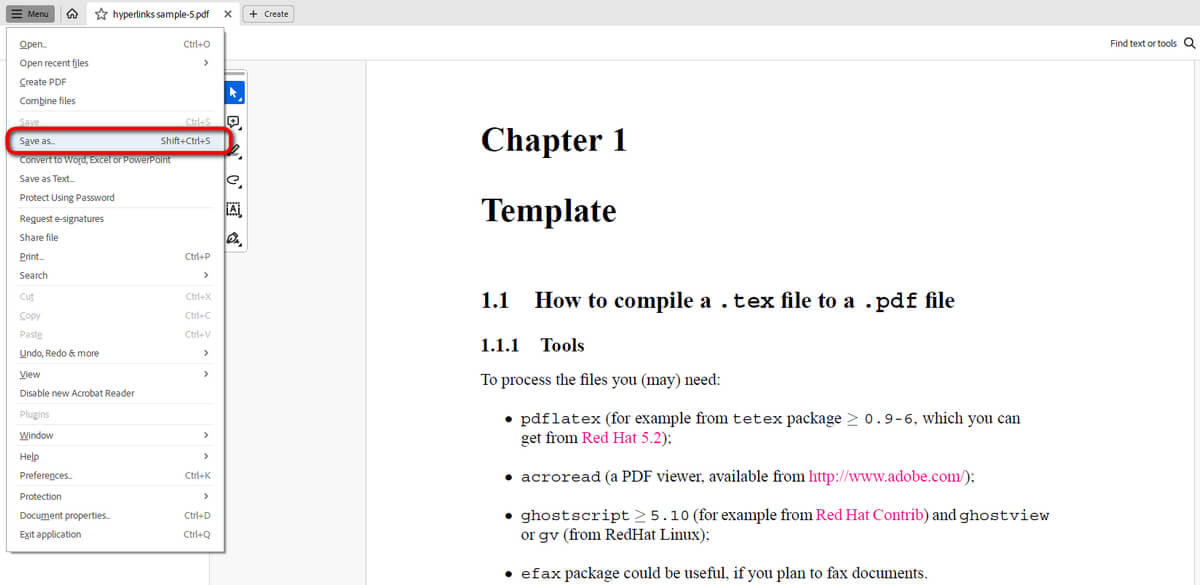
Save and Export PDF
Step 2. Go to Google Drive, log into your account, and drag and drop the PDF to upload it to your drive.
Step 3. Right-click on the PDF in Google Drive to open it with Google Docs.
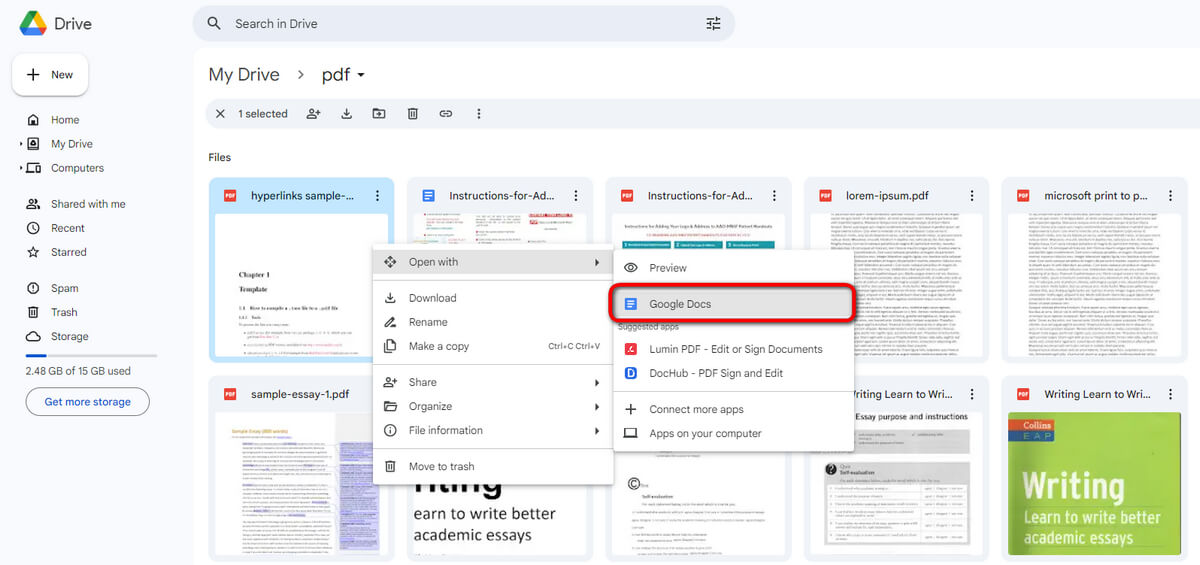
Open PDF in Google Docs
Step 4. Go to Tools and click Translate Document from the dropdown. In the pop-up window, select the target language and hit Translate.
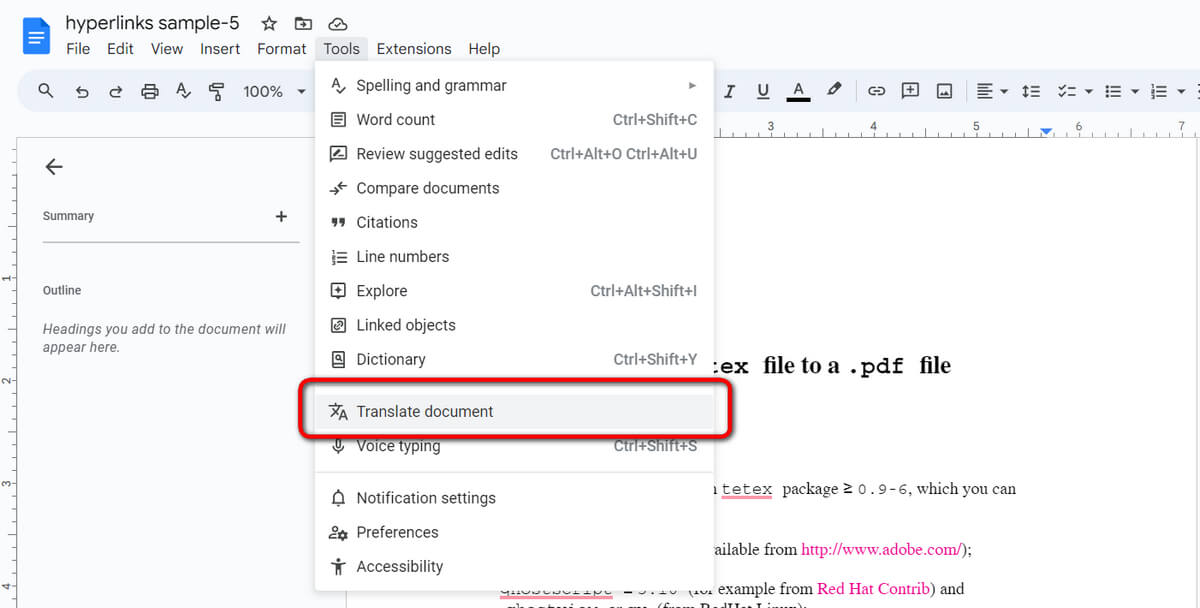
Translate PDF in Google Docs
Step 5. That’s it! Now your PDF document has been successfully translated using Google Docs!
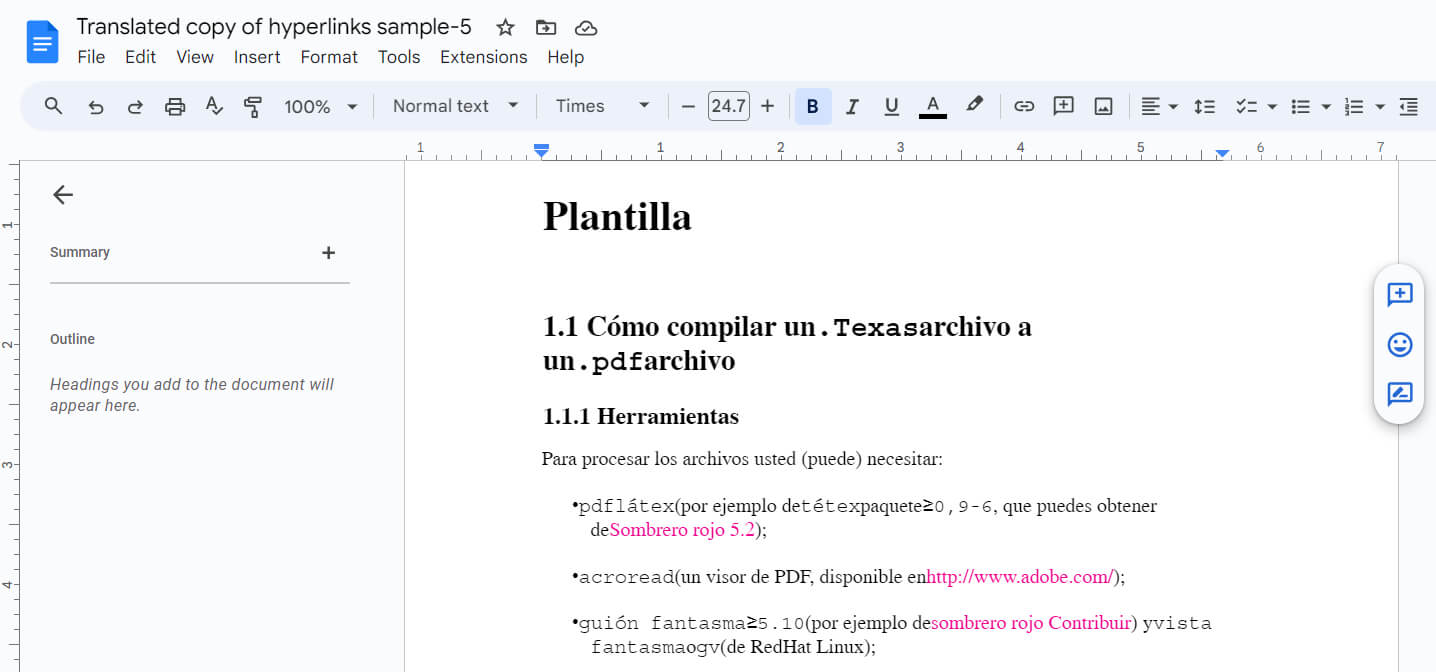
Translated PDF
Translate PDFs in Free Adobe Alternative
As you can see from the method above since Adobe doesn’t offer a native PDF translator, the process can be time-consuming and complex.
That is where PDFgear comes to the rescue. PDFgear is an AI PDF reader that is packed with an AI assistant that allows you to read and translate PDF files with PDF ChatGPT, and you’re even allowed to ask practically any kind of question regarding the file.
PDFgear is the best free PDF reader with ChatGPT integration, allowing you to translate PDF text while reading.
The PDF chatbot feature in PDFgear sits on the sidebar of the PDF reader, allowing you to check the original PDF file and the translated version simultaneously.
Now get PDFgear on your device right away, PDFgear is free to use!
Step 1. Launch PDFgear, and hit the Open File button to import the PDF file you intend to translate.
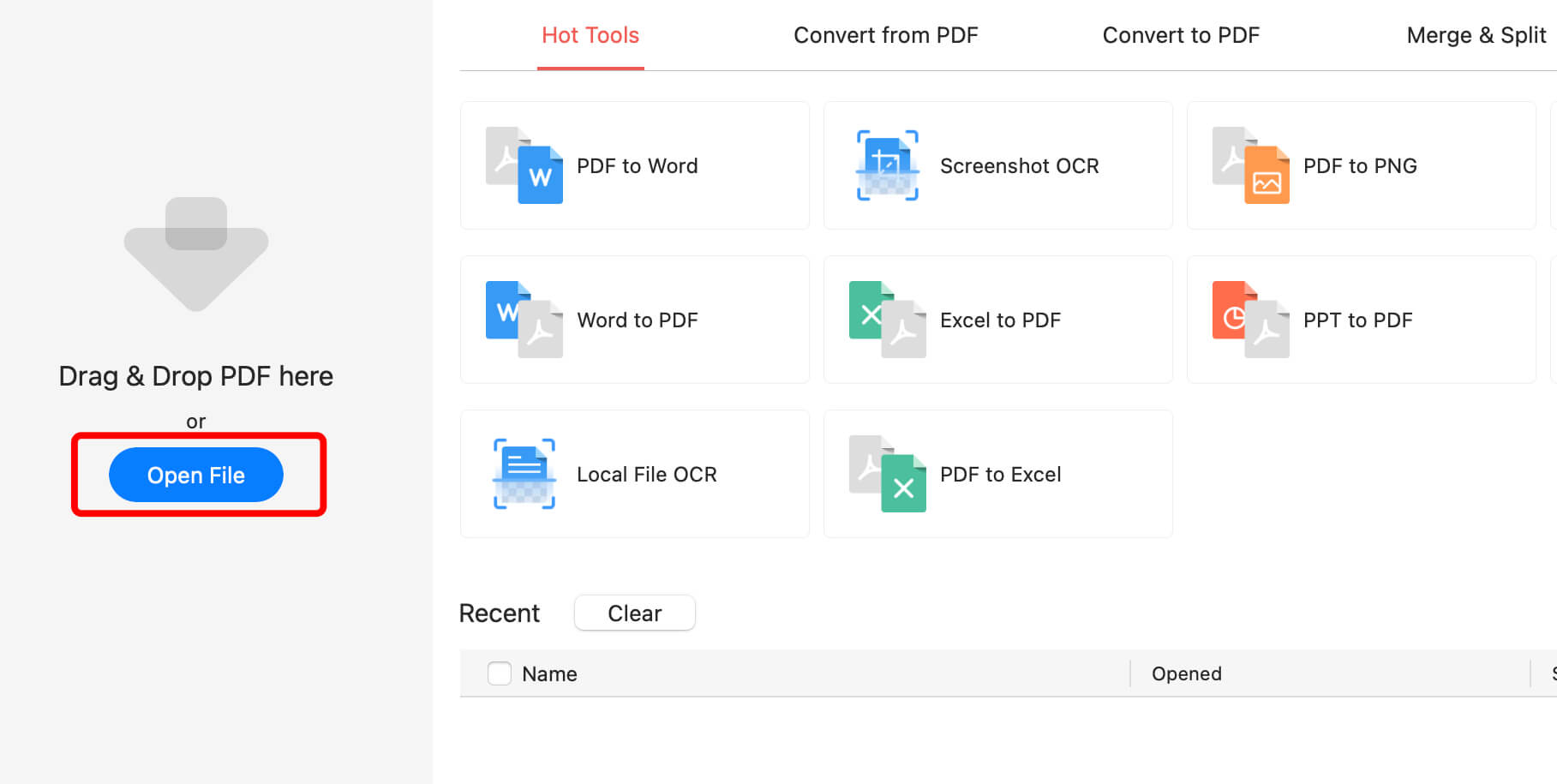
Click Open File
Step 2. Hit the lower-right chatbot icon to open the PDF chatbot feature, in which you can translate the PDF.
Step 3. Whenever you need to translate content while reading the PDF, select the text and hit Copy from the pop-up menu.
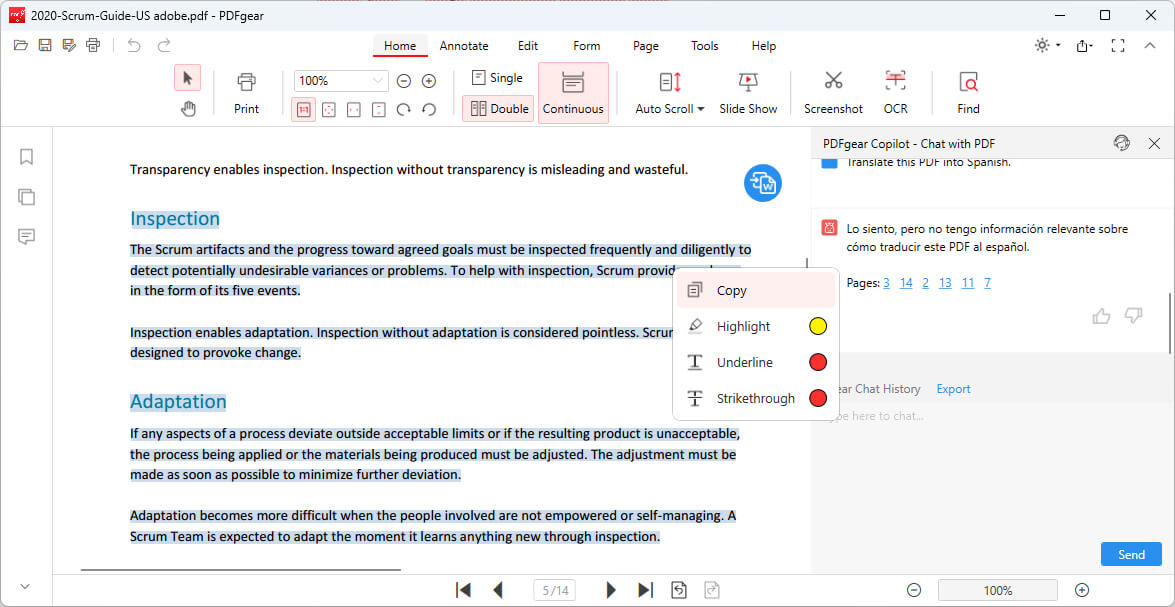
Copy Text for Translation
Step 4. Go to the chatbot and input “translate the following into [YOUR DESIRED LANGUAGE]”, followed by pasting the copied PDF text.
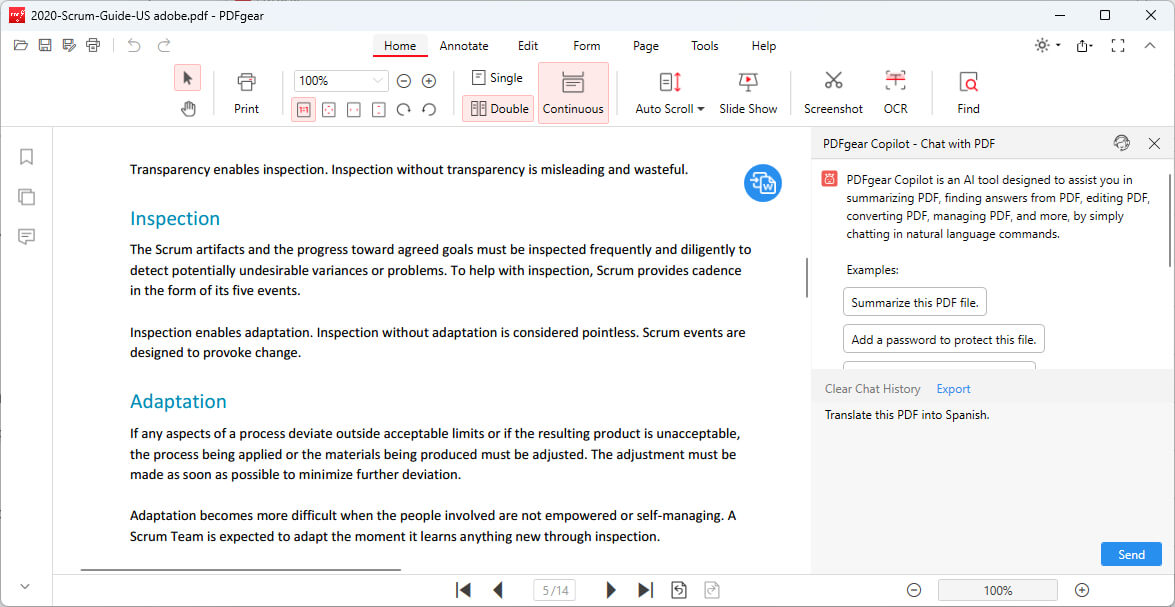
Translate PDF in PDFgear
Step 5. Click Send and PDFgear will swiftly translate the content into the desired language.
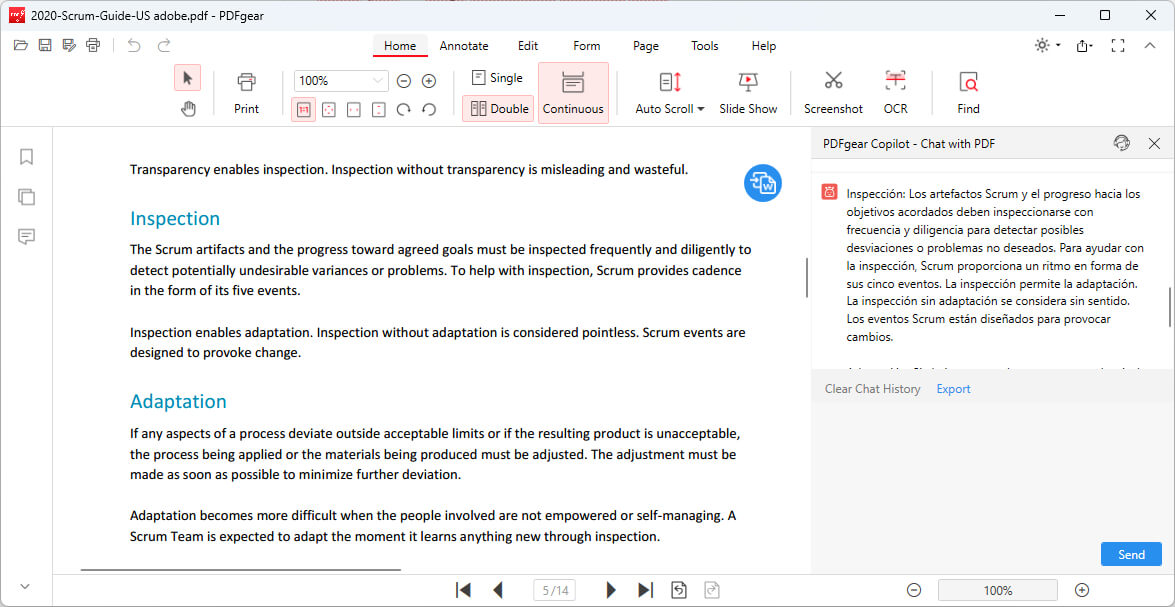
PDF Translated in Chatbot
FAQs
Can I translate a PDF for free?
Yes, you can use free tools like Google Translate to translate a PDF. However, keep in mind that free tools may have limitations in terms of file size, quality, and formatting preservation.
Can I translate a scanned PDF?
Yes, but you’ll need to use Optical Character Recognition (OCR) software to convert the scanned image into editable text first. Some PDF reader tools, like Adobe Acrobat, have built-in OCR capabilities.
How accurate are PDF translations?
The accuracy of PDF translations depends on the quality of the translation tool and the complexity of the text. Machine translation tools like Google Translate have greatly improved in recent years, but they may still struggle with idiomatic expressions, technical terms, and context-specific language.
Can I translate a PDF with multiple languages?
Yes, some translation tools can detect and translate multiple languages within a single document. However, the accuracy and formatting preservation may vary depending on the tool you use and the complexity of the document.
How do I translate a PDF on my mobile device?
You can use the PDFgear mobile app to translate PDFs on your mobile devices using AI. Simply upload the PDF to the app, and input the translation demand in the chatbot feature.
